A campaign can invent a world while staying precise about the product within it.
1. Start with what the image must communicate.
Keep verified product photography when the viewer needs to understand exactly what they are buying, or when a specific detail must remain faithful to an approved item. An AI campaign does not require every visible element to be regenerated. A photographed product, a designed background and a considered composite can each do a different job.
Separate documentation from interpretation. A clear view of a clasp, connector or printed label is a record of a particular product. A dramatic scene can express mood, positioning or a wider campaign idea. One image may need both, but the production brief should identify which parts are allowed to change.
Even a vendor selling image generation makes this distinction. Dreamina’s ecommerce guidance recommends verified photography where exact documentation is required and reviewing generated images for altered details, invented accessories and misleading context. This is vendor guidance, not an independent benchmark of its output. Source: Dreamina’s ecommerce image guide.
Our recommendation is to classify each requested image before choosing a tool. Is it a factual product view, a lifestyle scene, a campaign interpretation or an early concept? The answer determines the source material and the approval standard. It also prevents a strong concept image from accidentally becoming the only evidence a shopper has of a real item.
2. Name the details that must remain fixed.
“Keep it on brand” is too broad to protect a product. List the exact colourway, silhouette, number of parts, material finish, logo position and packaging version that the image must show. Where lettering matters, supply approved artwork and exact text. Where dimensions matter, provide a drawing or measurements rather than asking the studio to infer scale from a photograph.
Keep a current reference for each product variant. A blue sample photographed last season is not automatically a reliable source for a newly revised black version. Similarly, a promotional render may show an early prototype. Ask the product owner to confirm which file represents the item being sold.
Do not confuse an attractive material treatment with a correct one. Strong highlights can make a matte surface appear glossy; a dramatic grade can shift a colourway; an invented seam can change how a garment appears to be constructed. These may be deliberate creative choices in a concept, but they need explicit review before representing a specific product.
A useful source pack contains the approved product view, additional angles, artwork where relevant and a short list of non-negotiable details. The broader reference-pack guide covers how to separate product evidence from mood references.
3. Choose the production route around the evidence.
The decision is not simply photography versus generation. Different parts of the same asset can use different methods. Discuss the following routes with the producer before requesting a large batch.
| Need | Route to consider | What still needs checking |
|---|---|---|
| Exact view of an existing product | Approved photography with controlled retouching. | Correct version, colour treatment and visible details. |
| Same product in a new setting | Retain a suitable product cutout and build the surrounding scene. | Perspective, contact, shadows and reflected surroundings. |
| A new angle absent from the source pack | Additional photography or an approved 3D asset. | Whether the new view accurately represents the product. |
| Several visual directions for internal review | Generated concepts clearly labelled as exploratory. | Which details are invented and must be resolved before publication. |
| Product interaction or demonstration | Capture or construct the action using a method that can substantiate it. | Grip, fit, movement and any implied product behaviour. |
These are planning options, not fixed rules that every project must follow. A well-built 3D model may be the right source for repeated angles. A small photographic pickup may be more direct when one missing view is holding up a campaign. Compare the effort required to reach an approved image, including correction and review, rather than only the time required to produce an initial result.
BUCK’s Microsoft Copilot+ PCs case study offers a useful example of a visual system spanning methods. The studio describes developing CG imagery and then translating that direction into lifestyle photography in Budapest. It does not establish an AI compositing workflow, and it is not Nightwolf work. The relevant lesson is that a shared visual idea can guide both rendered and photographed assets. Source: BUCK’s project account.
4. Protecting the product layer is only half the task.
A retained product photograph can still look wrong in a new environment. Check the camera height, the visible top and side surfaces, the direction of light and the surface supporting the object. A cutout shot from above will not naturally sit in a scene viewed from below. Decide the intended composition before choosing the source image.
Reflective and transparent objects make this especially visible. A bottle can contain traces of the original background through its glass. A polished surface can reflect a studio that is no longer in the final scene. Those areas may need careful retouching or a more suitable capture; cutting around the silhouette alone does not solve them.
Adobe documents selection-based Generative Fill as a way to edit a chosen area non-destructively. That makes the boundary of an edit a practical workflow decision. It does not remove the need to inspect the result, especially where an edited background meets the product edge or a reflection. Source: Adobe’s Generative Fill guidance.
Ask for a layered working file when future changes require it, and agree which elements will remain independently editable. Keep the approved source separate from the creative composite. That gives reviewers a stable reference and makes it easier to identify whether a later revision affected the product or only its setting.
5. Test one difficult image before commissioning the range.
Here is a fictional commissioning example. An imaginary desk-accessory brand needs a campaign image of a small aluminium organiser on a textured table. The item has three compartments and an engraved wordmark. The buyer supplies approved front and three-quarter photographs, confirms the finish and requests one landscape image plus a vertical crop.
The pilot brief should ask for one agreed composition, not unlimited variations. Protect the compartment count, proportions and engraving. Allow exploration of the table, background and surrounding light. Identify the required negative space for copy and check that both intended crops retain the product’s important details.
FICTIONAL PILOT / ACCEPTANCE RECORD
- Source: current three-quarter product photograph confirmed by the product owner.
- Fixed: three compartments, approved silhouette, metal finish and exact wordmark.
- Flexible: backdrop, supporting surface and non-product props.
- Deliverables: one landscape composition and one separately reviewed vertical crop.
- Review: compare source and output, then inspect integration at the intended display size.
- Next decision: approve the route, request a bounded correction or obtain a better source image.
No image has been generated or tested for this fictional brief. Its purpose is to show how a small scope can reveal the right production questions. If the engraved mark is hard to retain, the next step may be supplying artwork or revising the angle. If the source lighting conflicts with the concept, new photography may be more useful than repeated attempts at the same setup.
Record correction effort and unresolved issues before expanding to a product range. A method that works for an opaque box may need a different approach for clear glass, loose fabric or jewellery. A pilot is informative only when it represents the difficult features the wider commission will contain.
6. Review what the scene implies as well as what it shows.
Accuracy includes context. Water around a product can suggest a use case. Extra accessories can appear to be included. Flowers beside a bottle may suggest ingredients. A scene can create expectations even when no written claim appears in the frame.
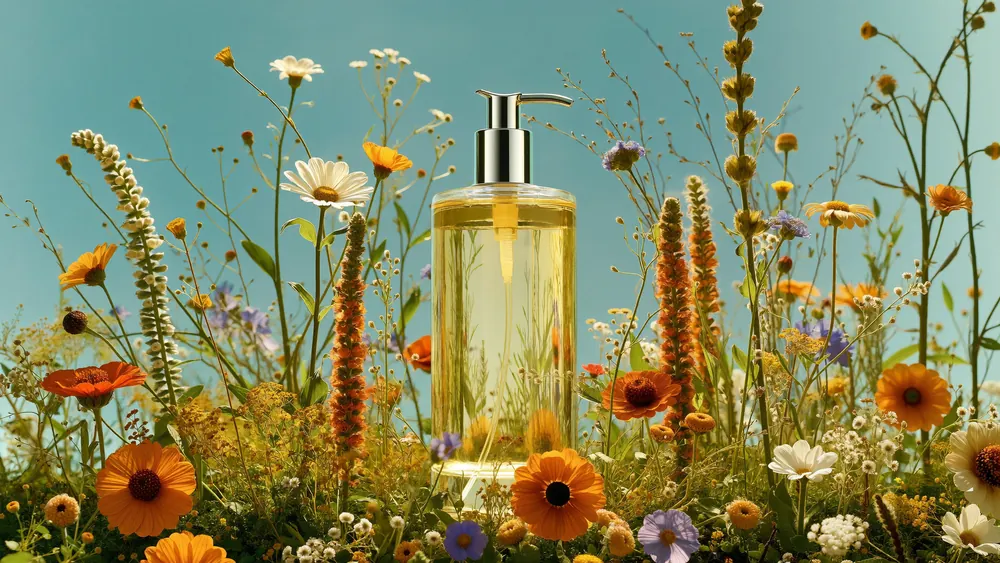
Ask the buyer to review the image with its actual headline, placement and nearby copy. An evocative campaign visual and a product specification panel serve different purposes. If an image is intended as an early concept, label it within the review workflow so it is not later mistaken for an approved product asset.
Use the campaign-image approval checklist for the final inspection. The additional decision here comes earlier: choose what must remain grounded in approved source evidence and which creative changes are allowed. Good review cannot compensate for an undefined source of truth.
7. Ask these questions before production starts.
BUYER’S SOURCE-ASSET CHECKLIST
- What job does each image do: document, demonstrate, persuade or explore?
- Which file represents the current product and who has approved it?
- Which exact details must remain fixed?
- Does the source angle suit the intended composition?
- Will glass, reflections, hands or fabric require additional work?
- Which elements may be generated, retouched or rebuilt?
- Who signs off product accuracy and who signs off the creative direction?
- What would make the pilot ready to expand into more assets?
Put the answers into the production scope, including any additional capture, artwork preparation, compositing and review rounds. A quote becomes easier to assess when everyone knows what must be preserved and what needs to be created.
For a brand commissioning AI imagery, the strongest starting point is often a clear boundary: this is the product we must represent, and this is the world we want to build around it. Choose the methods that support both. Explore Nightwolf’s creative production capabilities when shaping that brief.
Sources checked 15 October 2026. The desk-organiser pilot is fictional and has not been generated or tested. Explore images are separate visual references; no source-to-result comparison, product certification or first-hand use of the cited tools is claimed.
START WITH THE RIGHT SOURCE
Product detail.
Creative possibility.
Bring the product, the references and the world you want to create.
Discuss your project ↗