
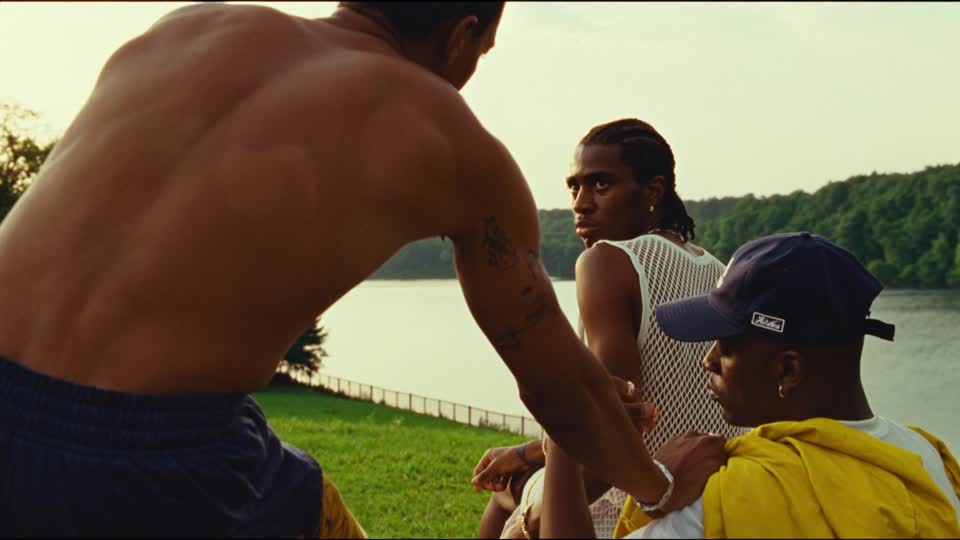
A loop has one more cut to solve: the end meets the beginning. Plan the return, then judge the repeated experience.
1. Design the return before the movement.
A loop has an extra edit to solve: the last moment connects to the first. A clip can look convincing once and still jump, hesitate or change direction every time it repeats. Plan that return as part of the idea, rather than treating a looping playback setting as the finishing step.
For this worked example, imagine a six-second website background showing a small hanging paper mobile above an empty desk. One suspended shape sways gently and returns to its starting phase; the camera and room remain still. This is a fictional production plan. No loop has been generated or tested, and the durations below are editorial targets rather than model settings.
The intended feeling is quiet concentration. We do not need a dramatic reveal, a camera orbit or a sequence of changing objects. The simplest useful motion is a small repeated sway. Choosing that limited action reduces the number of relationships the join must reconcile.
Start by writing what returns: the shape's position, its direction and speed of travel, the shadow beneath it and the background lighting. A matching silhouette alone is insufficient if the object arrives moving left and immediately departs moving right without a natural turning point.
2. Choose a motion that can repeat meaningfully.
Some actions have a natural cycle. Others describe a one-way event. A gentle sway can return; a person entering a room and sitting down does not automatically lead back to the same person outside the doorway. Either design a return, make the reset an intentional cut, or choose a different action.
For our mobile, keep the room fixed and specify one moving element. If several shapes, curtains and shadows all evolve independently, their return points may not coincide. More motion is a creative option, but it creates more conditions to inspect at the boundary.
A forward-and-reverse edit is another option, sometimes called a ping-pong loop. It can suit a deliberately oscillating graphic. It can also expose an unnatural reversal in smoke, water, falling objects or human movement. Choose it because the reversed action supports the idea, not because it is the fastest way to fill a timeline.
For a busy scene such as the cover's group by the water, each person introduces a separate continuity question. A short repeat may make an expressive gesture feel mechanical. The creative decision may be to keep that scene as a conventional clip and build the loop around a simpler subject.
The Virtual Dutch Men presents architectural cinemagraphs including interior and Hyde Park examples, describing selective motion against a still scene. That is useful context for choosing a limited moving region; its portfolio description does not establish that an AI model can reproduce those results automatically. Our planning recommendation is to identify the moving region and its return conditions before choosing a generation route. Source: The Virtual Dutch Men cinemagraph collection.
3. Map a six-second cycle.
The following table is a paper plan for the fictional mobile. It describes a full sway cycle from a central position, through both extremes, back to the same central position with the same direction of travel. It is not a measured simulation or a promise of frame-accurate prompt control.
FICTIONAL MOTION PLAN
A paper mobile above a quiet desk
One moving shape. Fixed camera. Stable room light. Six seconds as an initial editorial target. The purpose is to keep the background gently active while the page's message remains easy to read.
| Approximate point | Motion phase | Review question |
|---|---|---|
| Start | Crossing the centre towards the right | Is the direction of travel clear? |
| 1.5 seconds | At the right-hand extreme | Does the turn feel gradual rather than abrupt? |
| 3 seconds | Crossing the centre towards the left | Does the shape and its attachment remain consistent? |
| 4.5 seconds | At the left-hand extreme | Does the return belong to the same rhythm? |
| 6 seconds / next cycle | Crossing the centre towards the right again | Do position, speed, shadow and lighting reconnect? |
The endpoint describes the beginning of the next cycle. In the edit, inspect whether retaining both an identical final frame and the first frame creates an extra hold. Do not automatically delete a frame either: choose the boundary that gives the actual footage a continuous rhythm.
If the generated movement completes its convincing cycle in a different duration, review that usable cycle rather than forcing the initial six-second plan onto it. Exact duration may still be a delivery requirement; if it is, agree how much retiming or further production is acceptable.
4. Treat frame controls as guidance, then inspect the motion.
Runway's image-to-video guide recommends explicit language for a still camera and discusses using the same image at both inputs in its Animate Frames app for more control. The guide also acknowledges that prompting alone may not yield a perfectly still shot and mentions stabilisation in an editor. These are documented approaches, not a guarantee that a particular generation will loop cleanly. Source: Runway image-to-video guidance.
Higgsfield documents a Kling O3 First/Last Frame mode. An endpoint control can help specify where a clip should arrive, but it does not by itself establish the motion at the join. Check the selected model's actual inputs and review the resulting sequence. Source: Higgsfield's Kling O3 reference.
ILLUSTRATIVE DIRECTION / NOT TESTED
The camera remains fixed. One paper shape sways gently through a full cycle above the desk, returning to its starting position and direction of travel. Keep the room, exposure and attachment point stable. The movement remains small and unhurried throughout.
This direction states the intended behaviour without claiming that the words enforce it. In a real trial, retain the input asset, tool, model, settings actually used and output filename. Review one candidate before adding several new movement instructions; otherwise it becomes difficult to identify which change helped.
5. Review the join in motion and frame by frame.
Place several repetitions on an editing timeline and watch at normal speed. The first pass reveals the idea; later passes reveal the reset. Look for a camera nudge, exposure change, new detail, acceleration or pause at the boundary. Then inspect the outgoing and incoming frames to locate the cause.
In our mobile example, suppose the paper shape reconnects but its shadow jumps. The repair decision concerns the shadow or the selected boundary, not simply whether the object looks right. Suppose the whole background shifts slightly: assess whether stabilisation can help without creating unacceptable cropping or changing the composition.
A dissolve can soften a visible cut, but it can also produce a double object or a ghosted edge. Inspect the transition itself. For a simple background texture, a blend may be acceptable; for a product outline or face, it may be distracting. Do not call the result seamless until the actual join has been reviewed.
Keep the final export in the review. Compression, playback behaviour and the chosen player can affect the experience. A clean edit on the timeline is useful evidence, but the delivery should also be watched in the context where it will repeat.
6. Make sound and placement part of the loop.
Decide whether sound belongs in the deliverable. A background intended to play silently still needs to make sense without audio. A loop with ambience or music has a second boundary to solve: a visible join can be smooth while a sound cuts off, clicks or restarts conspicuously.
For the paper-mobile plan, silence may be the right choice for a website background. If a separate ambient version is commissioned, avoid a prominent one-off sound that repeats so often it becomes the main event. Review the audio join independently and then with the picture. Our sound-design worked example explains how to record the purpose of each layer.
For a web placement, check that the motion supports rather than competes with the message, and include appropriate playback controls and a still alternative in the implementation plan. For another destination, confirm the required file format, dimensions, duration and sound behaviour with the receiving team. A loop is a delivery decision as well as a visual effect.
7. Sign off the repeated experience.
Use a short acceptance record so “looks good” means the whole cycle has been reviewed. For the fictional mobile, completion would mean that the intended sway returns smoothly, the room stays stable and the website message remains readable. It would not mean that one attractive frame has been approved.
- Cycle: the action has a clear reason to repeat.
- Boundary: position, direction and speed reconnect without an unintended hold.
- Continuity: subject details, shadows and exposure remain coherent.
- Sound: silent playback or the audio join has been explicitly reviewed.
- Placement: the actual export has been tested in its intended context.
- Handover: source, selected range, finishing steps and approved version are recorded.
If a clean loop cannot be achieved within the agreed scope, propose a deliberate repeating edit, a shorter verified cycle or a still image. Name the trade-off. The purpose is a convincing repeated experience, not an unsupported promise attached to a file.
This boundary-focused review complements building a film edit and planning camera movement. Nightwolf's film and post-production capabilities connect those decisions with the final delivery.
Sources checked 12 October 2026. This is a fictional motion plan and sourced workflow discussion, not a generated experiment or client case study. All four images are independent Explore references. No new video, loop or audio was produced for this article.
MAKE THE RETURN WORK
A considered cycle.
A convincing return.
Share the scene, the movement and where it needs to play.
Discuss your project ↗